How Adobe Acrobat Powers Your Document Workflows
Unmatched Flexibility With PDF Documents
Work directly with the universally recognized PDF format, and effortlessly convert your documents to and from other file types, ensuring seamless compatibility across all your platforms.
Safeguard Critical Information
Rest assured that your sensitive data is secure and compliant. Maintain robust control over who can view or interact with your documents, ensuring privacy and peace of mind.
Go Paperless, Go Green
Contribute to environmental sustainability by digitizing your signing processes. Reduce paper consumption and streamline your operations simultaneously.
Trusted by Companies
Do Much More with Adobe Acrobat
E-Sign & Request Signatures
It’s never been easier to send documents for signature, track status and collect them. No downloads or sign-ups required.
Edit PDF Documents Directly
Edit text and images, add new paragraphs and easily modify formatting in your PDF using Acrobat Pro.
Share & Protect Your Files
Effortlessly share your documents, or add password protection to ensure only authorized eyes see sensitive information.
Convert File Formats Easily
Effortlessly transform your PDFs into a variety of editable file types, giving you the flexibility to adapt and reuse your content across any platform or application.
Achieve More with Cyber Edge
Curated
Digital Marketplace
Cut through the noise with only the best handpicked solutions. We carefully select and bring you dependable software from diverse categories, saving you valuable time and effort from navigating a multitude of options.
Comprehensive
COTS Framework
From first call to full rollout, our COTS framework is your complete guide to success. This 4-step approach includes specialized Consultation to start right, seamless Onboarding for quick setup, practical Training for your team, and dedicated Support whenever you have questions.
Centralized
Subcription
Take control of all your software subscriptions from one central dashboard. Manage all your licenses, renewals, and billing in a single platform, giving you clear oversight and saving you administrative hassle.
Cumulative
Rewards Program
As you grow with Cyber Edge, your rewards grow too! Our rewards program allows you to accumulate benefits and exclusive perks over time, ensuring you get increasing value and recognition for choosing us.
What Our Clients Say
Frequently Asked Questions
What is Adobe Acrobat?
Adobe Acrobat is the industry-standard software for creating, editing, and managing PDF documents. It is more than just a viewer; it’s a complete solution that allows you to convert files to PDF, fill out and sign forms, and collaborate with your team.
What is the difference between Adobe Acrobat Reader and Adobe Acrobat?
The free Adobe Acrobat Reader is primarily for viewing, printing, and commenting on PDFs. In contrast, a paid Adobe Acrobat plan gives you the full suite of tools to create, edit, convert, and secure PDF files.
Can I edit PDF documents with Adobe Acrobat?
Yes, with a paid Adobe Acrobat plan, you can easily edit text and images directly within a PDF file. You can also rearrange pages, combine multiple documents into a single PDF, and convert PDFs to other formats like Microsoft Word or Excel.
How does the e-signature feature work within Adobe Acrobat?
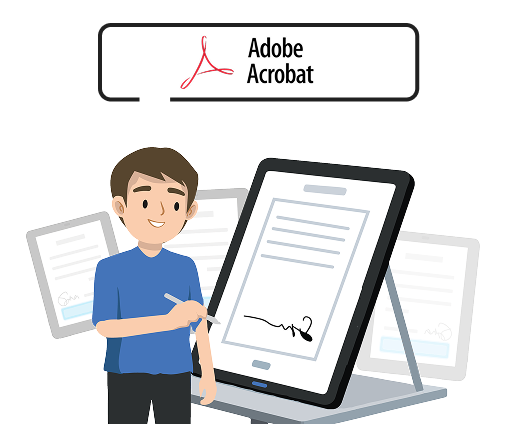
E-signing is a core feature of Adobe Acrobat. You can send documents for signature directly from Acrobat, track their status in real time, and receive an audit trail once the document is completed. Recipients can sign from any device without needing to download anything.
Is Adobe Acrobat secure for sensitive documents?
Yes. Adobe Acrobat includes robust security features to protect your information. You can password-protect documents, restrict editing and printing, and use encryption to ensure your data remains secure.
Can I use Adobe Acrobat on my desktop and mobile devices?
Yes, a single Adobe Acrobat plan allows you to work seamlessly across different devices. You can start a project on your desktop and finish it on your smartphone or tablet, ensuring your work is always synchronized and accessible from anywhere.
What is the difference between Adobe Acrobat's e-signing and the Acrobat Sign solution for integrations?
The e-signing feature in Adobe Acrobat is a basic, integrated tool for simple signature requests. The standalone Acrobat Sign solution is an enterprise-grade service designed for high-volume, automated workflows, and deep integrations with other applications like Salesforce and Microsoft via API. It provides more robust features and is ideal for businesses that need to embed signing capabilities directly into their own platforms or applications.
Why should I purchase Adobe Acrobat through Cyber Edge?
While you can purchase a plan directly from Adobe, partnering with us provides a level of support and expertise you won’t get on your own. Our COTS framework—Consultation, Onboarding, Training, and Support—is designed to ensure you get the right plan, a smooth setup, and ongoing assistance to maximize your investment.
Power My Document Workflows With Adobe Acrobat Solutions